Most WhatsApp enquiries arrive after 10pm.
The clinic is closed. The salon owner is asleep. The tuition centre admin has three other messages waiting.
By morning, the customer has already booked with a competitor who replied within minutes.
A WhatsApp AI chatbot changes this equation. It responds instantly, handles bookings, answers common questions, and follows up — without a human in the loop.
This is not auto-reply with a few preset responses. It is an AI system that understands natural language, adapts to what each customer says, and takes action.
Here is what it is, how it works, and whether your business needs one.
What Is a WhatsApp AI Chatbot?
A WhatsApp AI chatbot is software that uses artificial intelligence to automatically understand and respond to customer messages sent via WhatsApp. Unlike basic auto-reply, it interprets free-form text in any phrasing, answers questions, takes bookings, and escalates complex queries to a human agent — operating continuously without staff involvement. According to Gartner, AI will handle the majority of routine customer service interactions by 2027.
A WhatsApp AI chatbot combines three components:
- WhatsApp Business API — the official connection between WhatsApp and your software platform, enabling programmatic messaging
- Large Language Model (LLM) — the AI engine (such as Claude or GPT-4) that reads what the customer writes and generates a contextually appropriate reply
- Knowledge base — your business data: services, pricing, operating hours, FAQs, and booking rules that the AI uses to give accurate answers
When a customer sends "How much is a 60-minute deep tissue?" at 11pm, the AI reads the message, checks your price list, and replies with the correct price plus available slots — in seconds.
This is fundamentally different from WhatsApp Business's built-in auto-reply, which can only match exact keywords and return a fixed template.
How Does a WhatsApp AI Chatbot Work?
When a customer message arrives, the AI chatbot processes it through three stages: intent recognition (what is the customer asking?), knowledge retrieval (what is the correct information?), and response generation (how should it be phrased?). This cycle completes in under two seconds. Platforms built on the official WhatsApp Business API process messages using the same infrastructure Meta uses for WhatsApp itself.
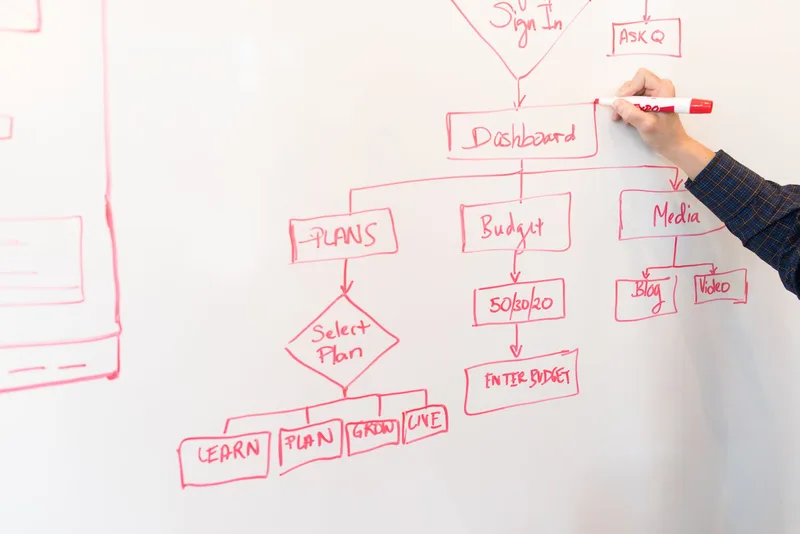
Here is the message flow:
- Customer sends a message on WhatsApp — any phrasing, any language (English, Bahasa Malaysia, Manglish)
- The API delivers it to your chatbot platform in real time
- The LLM reads the message and determines what the customer wants
- The knowledge base is queried for the relevant information
- A response is generated in natural, conversational language
- The reply is sent via WhatsApp, appearing in the customer's chat within seconds
If the conversation becomes complex — an unhappy customer, a sensitive situation, an unusual request — the system detects this and routes it to a human team member with the full conversation history attached.
The handoff is seamless. The customer does not need to repeat themselves.
One important technical note: all WhatsApp AI chatbots require connection through the official WhatsApp Business API, not the standard WhatsApp Business app. The API is what enables programmatic, automated messaging at scale. Consumer-level workarounds (unofficial automation tools) violate WhatsApp's terms of service and risk account bans.
What Can a WhatsApp AI Chatbot Do That Regular Auto-Reply Cannot?
WhatsApp Business auto-reply matches exact keywords to preset responses. A WhatsApp AI chatbot understands any variation of a question, handles multi-turn conversations, takes actions like booking appointments, and learns from your knowledge base. The capability gap is not incremental — it is the difference between a vending machine and a trained staff member.
| Capability | WhatsApp Business Auto-Reply | WhatsApp AI Chatbot |
|---|---|---|
| Respond to any phrasing | No — keyword match only | Yes — understands intent |
| Handle multi-turn conversations | No — single response | Yes — remembers context |
| Answer questions not in the keyword list | No | Yes — draws from knowledge base |
| Take bookings and check availability | No | Yes — integrates with calendar |
| Handle Bahasa Malaysia and Manglish | No | Yes — multilingual |
| Send follow-up messages | No | Yes — automated sequences |
| Escalate to human when needed | No | Yes — with full context |
| Operate 24/7 without staff | Partially — set responses only | Yes — fully autonomous |
The practical difference: a customer who types "boleh book esok pagi tak?" gets a useful reply from the AI (availability check, slot confirmation) and gets a generic fallback from auto-reply — if "esok pagi" was not one of the keywords you set up.
For Malaysian service businesses where customers message in mixed languages at all hours, this gap is significant.
Which Malaysian Businesses Benefit Most from a WhatsApp AI Chatbot?
Service businesses with high inbound WhatsApp volume and repetitive enquiry patterns see the strongest return from AI chatbots. Clinics, salons, tuition centres, dental practices, and sports court operators in Malaysia consistently report 60-80% of their daily WhatsApp messages being routine questions that require no human judgement — the exact queries AI handles best, based on AlwaysON platform data across its client base.
Clinics and medical centres
Patients ask about consultation fees, doctor availability, clinic hours, and whether the clinic accepts specific insurance panels. These questions are answered hundreds of times per week. An AI chatbot handles all of them, books appointments, sends reminders, and flags urgent cases to the receptionist.
Beauty salons and spas
Customers enquire about treatments, pricing, available stylists, and slot availability — often late at night when the salon is closed. The AI replies immediately, confirms bookings, and sends preparation reminders the day before.
Tuition centres
Parents want to know about subjects covered, fees, trial class availability, and teacher credentials. Many want answers in both English and Bahasa Malaysia. The AI responds in the parent's language of choice and enrols students directly into the appropriate class.
Dental practices
Patients ask about specific procedures, pain management, tooth extraction costs, and appointment availability. Dental practices often have complex pricing that varies by procedure and material — the AI navigates this accurately because the knowledge base reflects the actual price list.
Sports courts and recreational facilities
Court bookings require real-time availability checks, payment confirmation, and reminder messages. The AI manages the full booking cycle, including cancellation and rebooking, without staff involvement.

The common thread: businesses where 70-80% of customer interactions are predictable and information-based. That is where AI chatbots deliver consistent, measurable results.
Does this sound like your business? See how AlwaysON handles WhatsApp enquiries for Malaysian service businesses — book a demo at alwayson.my. 30 minutes. No sales pitch. See the product live.
How Much Does a WhatsApp AI Chatbot Cost in Malaysia?
WhatsApp AI chatbot platforms for Malaysian businesses typically range from RM100 to RM500 per month, depending on message volume, number of connected agents, and the AI capabilities included. This cost covers the platform subscription; WhatsApp Business API message charges (typically RM0.03-0.10 per conversation) are billed separately by Meta. Most Malaysian service businesses fall into the RM150-350/month range based on their message volume.
| Plan Tier | Monthly Cost (Platform) | Typical Use Case |
|---|---|---|
| Starter | RM100-150 | Single-location business, under 500 conversations/month |
| Standard | RM200-350 | Multi-staff operation, 500-2,000 conversations/month |
| Business | RM400-600 | Multi-location or high-volume, 2,000+ conversations/month |
| Enterprise | Custom | Chains, franchises, custom integrations |
In addition to the platform fee, Meta charges per conversation (a 24-hour conversation window). Rates vary by conversation category — service conversations started by customers are charged differently from marketing conversations initiated by the business. Current Malaysia rates are published on Meta's WhatsApp Business pricing page.
Calculating the ROI
A typical Malaysian clinic with 200 WhatsApp enquiries per week spends roughly 5-8 hours of receptionist time on routine messaging. At RM12-15/hour, that is RM60-120 per week, or RM260-520 per month in staff time alone.
A chatbot platform at RM200-300/month handles those same enquiries at any hour, with faster response times, and without the risk of human error in booking data.
For businesses receiving higher message volumes, the return compounds. The platform cost becomes fixed while the enquiries it handles can scale without additional staff.
How Do You Set Up a WhatsApp AI Chatbot for Your Business?
Setting up a WhatsApp AI chatbot takes 1-3 days from decision to live operation. The core steps are: Meta Business verification, WhatsApp Business API connection, platform configuration, and knowledge base setup. Businesses that complete each step sequentially, rather than skipping the knowledge base setup, report significantly higher AI accuracy from day one, according to platform onboarding data from AlwaysON.
Step 1: Verify your Meta Business account
WhatsApp Business API access requires Meta Business verification. Submit your business registration documents (SSM for Malaysian businesses) through Meta Business Manager. Verification takes 1-5 business days.
Step 2: Choose a WhatsApp AI chatbot platform
Select a platform that provides API access, AI response handling, and local support. For a comparison of options available in Malaysia, read 5 Best WhatsApp Chatbot Platforms in Malaysia.
Step 3: Connect your WhatsApp number
Link your business WhatsApp number to the platform. This is a one-time step — once connected, all incoming messages route through the platform's AI system.
Step 4: Build your knowledge base
This is the most important setup step. The AI is only as accurate as the information you give it. Input your:
- Services and descriptions
- Pricing (including variations by option, duration, or material)
- Operating hours (including public holidays)
- Booking rules (advance notice, deposit requirements, cancellation policy)
- Frequently asked questions
- Staff names and specialisations (for bookings that require a specific person)
Step 5: Configure conversation flows
Define how the AI handles specific scenarios: new customer enquiries, existing customer rebooking, complaints, requests outside business hours, and escalation triggers.
Step 6: Test before going live
Send test messages that simulate real customer enquiries — including unusual phrasings, Manglish, and edge cases. Verify that the AI's responses are accurate and that escalation to human agents works correctly.
Step 7: Launch and monitor
Go live and review the first week of conversations. The AI will handle most interactions correctly from day one, but reviewing the conversations weekly during the first month lets you identify gaps in the knowledge base and refine the configuration.
For full automation beyond enquiries and bookings, read our guide on automating WhatsApp messages for your business.
What Should You Look for in a WhatsApp AI Chatbot Platform?
The critical factors when evaluating a WhatsApp AI chatbot platform are: API compliance (official Meta API, not unofficial workarounds), AI quality (does it handle Bahasa Malaysia and Manglish accurately?), knowledge base flexibility (can you update it without developer help?), and local support (is there a team in Malaysia who can help when something goes wrong?). Platforms without official API access put your WhatsApp number at risk of being banned.
Key evaluation criteria:
Official API access Never use a platform that routes through unofficial methods. Unofficial automation violates WhatsApp's terms and results in permanent number bans. Every platform should be a verified Meta Business Partner.
Multilingual AI quality Test the AI with Bahasa Malaysia, Manglish, and mixed-language messages before committing. Quality varies significantly between platforms. A poor AI that misunderstands "boleh tak kalau nak rebook" is worse than no AI at all.
Knowledge base control You should be able to update pricing, services, and FAQs yourself — without a developer or a support ticket. If the knowledge base is locked behind the platform team, your chatbot will always be running on outdated information.
Human handoff quality The best AI chatbot platforms make the handoff from AI to human seamless. The human agent sees the full conversation history, understands where the AI left off, and can continue without asking the customer to repeat themselves.
Reporting and analytics You should know what percentage of conversations the AI resolves without human involvement, which questions it fails to answer, and what the peak enquiry hours are. This data drives ongoing improvement.
For a detailed comparison of platforms available in Malaysia, see 5 Best WhatsApp Chatbot Platforms in Malaysia.

For deeper coverage of AI-powered customer service beyond WhatsApp chatbots, read AI Customer Service: How Malaysian Businesses Are Saving 80% on Support Costs.
Frequently Asked Questions
What is a WhatsApp AI chatbot?
A WhatsApp AI chatbot is software that uses artificial intelligence to automatically read and respond to customer messages on WhatsApp. It understands natural language (any phrasing, in English or Bahasa Malaysia), answers questions based on a knowledge base, takes bookings, and hands off complex conversations to a human agent — operating continuously without staff involvement.
Is a WhatsApp AI chatbot the same as WhatsApp auto-reply?
No. WhatsApp Business auto-reply matches specific keywords to preset responses. A WhatsApp AI chatbot understands any variation of a question, holds multi-turn conversations, checks availability, takes bookings, and sends follow-ups. The capability difference is equivalent to comparing a printed FAQ sheet with a trained customer service representative.
Can a WhatsApp AI chatbot handle Bahasa Malaysia and Manglish?
Yes, if the platform uses a quality LLM. Modern large language models understand Bahasa Malaysia, Manglish, and code-switching (mixing English and BM in the same message). Test this specifically before committing to a platform — ask it a question in Manglish and evaluate the response quality and accuracy.
Do I need a developer to set up a WhatsApp AI chatbot?
No. Platforms designed for SMBs guide you through setup via a web interface — connecting your WhatsApp number, building the knowledge base, and configuring conversation flows. The only technically complex step is Meta Business verification, which involves submitting business documents through Meta Business Manager. The platform's onboarding team typically assists with this.
How long does it take to see results from a WhatsApp AI chatbot?
Results are visible within the first week. The AI handles enquiries immediately from day one — customers receive instant responses, bookings are confirmed without staff involvement, and the business owner stops waking up to a backlog of unanswered messages. Full optimisation — where the AI resolves 70-80% of conversations without escalation — typically takes 2-4 weeks as the knowledge base is refined based on real conversations.
Keep Reading
- 5 Best WhatsApp Chatbot Platforms in Malaysia (2026 Compared) — side-by-side comparison with pricing, pros, and who each platform suits
- How to Automate Customer Follow-Up on WhatsApp — post-booking automation that brings customers back
- AI Customer Service: How Malaysian Businesses Are Saving 80% on Support Costs — ROI data and implementation steps